


Lightweight forms built right
into your popups — no code
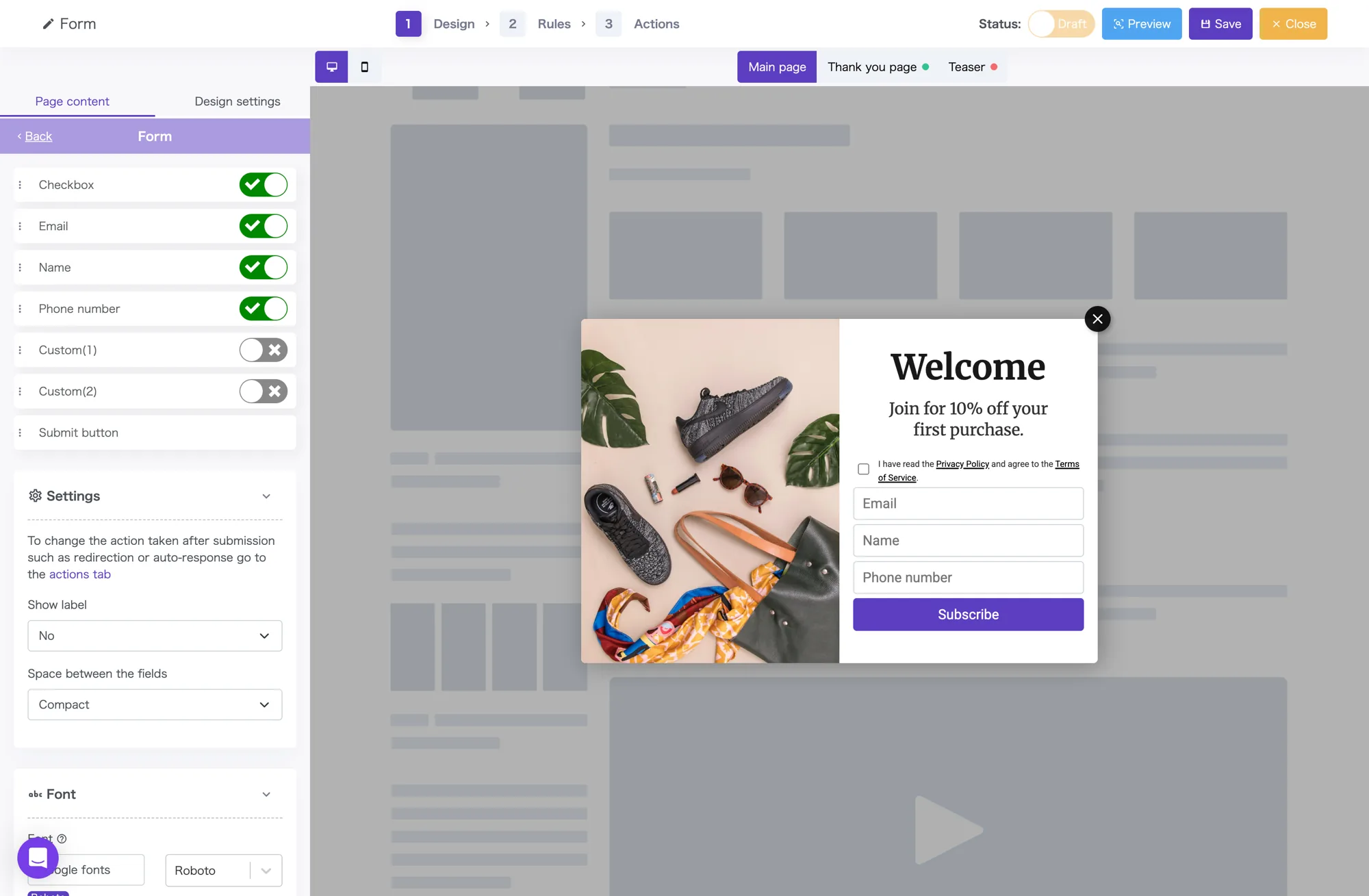
Lay out the essentials — email, name, phone — with drag and drop.
Auto-save to lists, CSV export, and integrations with Mailchimp and Webhooks are included on every plan.
Follow-up (auto-reply) emails are available on the Basic plan and above.
Reorder fields with drag and drop
On top of email, name, phone, and checkbox, add up to two custom fields of your own. Reorder with drag and drop; toggle visibility per field with a switch.
Names support a split “family / given” layout and an optional furigana field. Labels and placeholders are fully editable.
Post-submit actions and a
thank-you screen — all no-code
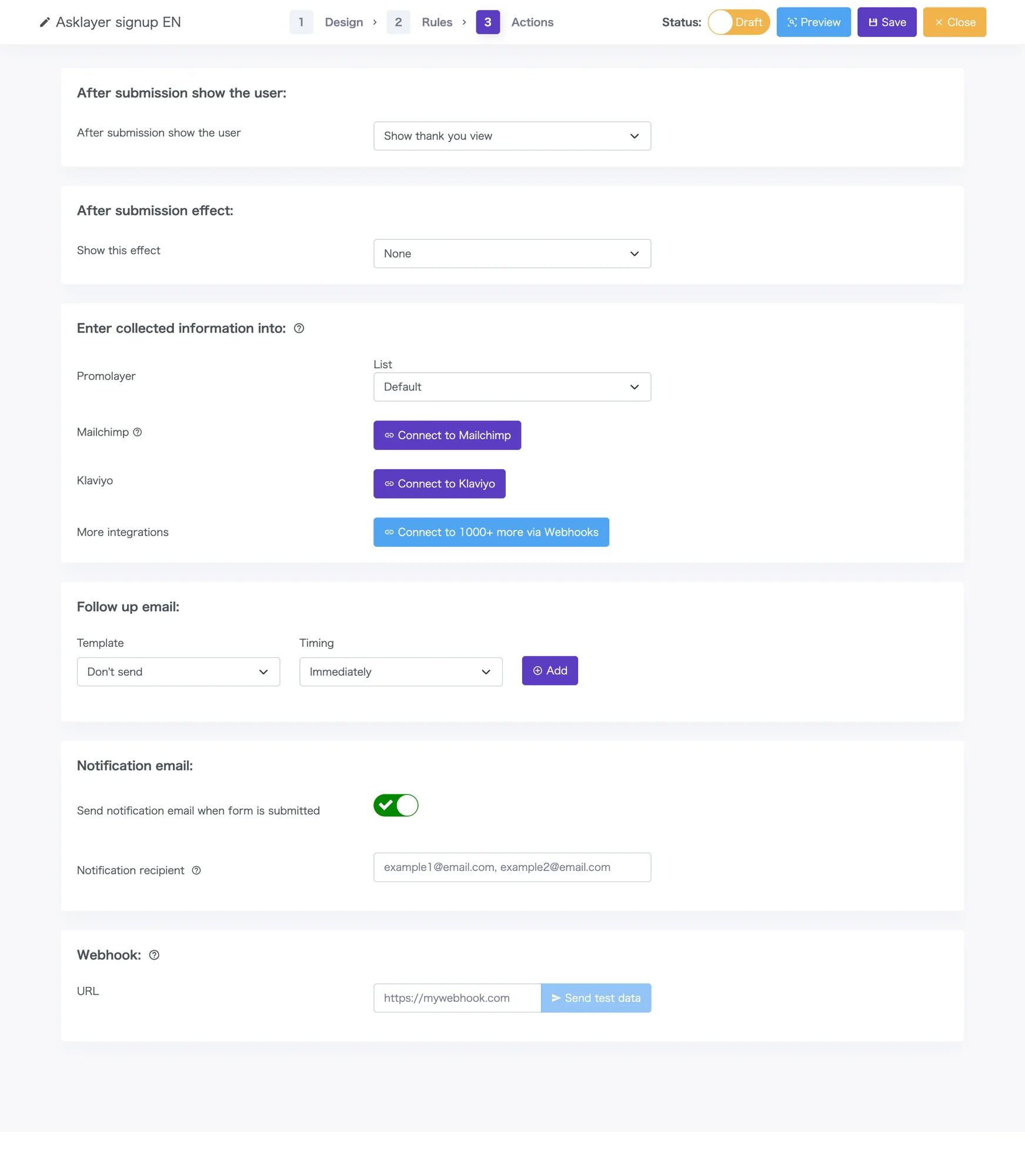
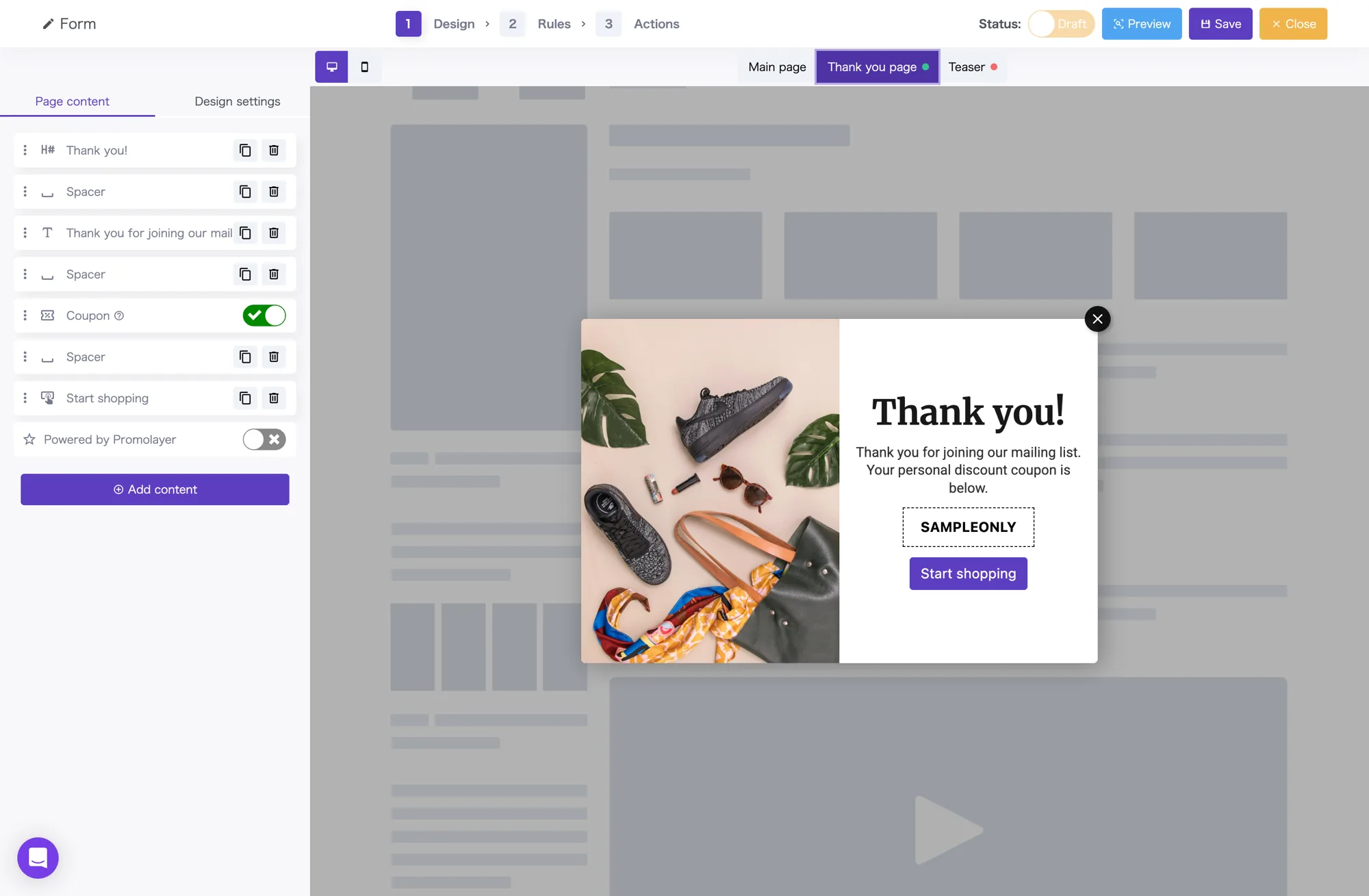
Pick from three post-submit patterns: a thank-you screen, a redirect to a URL, or simply closing the popup. The thank-you screen is fully editable in the same editor — coupon codes and next-step CTAs can be added in place.
Captured contacts are saved to internal Promolayer lists and can sync automatically to Mailchimp or Klaviyo subscriber lists. On Shopify stores, write directly back to the customer list and apply customer tags in the same setup.
Admin notifications support multiple recipients (comma-separated). Submissions are visible immediately.
Everything up to the thank-you screen
configured without code
Set the post-submit behaviors, integrations, and notifications you need — per form, all no-code.
Choose what shows after submit
Pick from three patterns per form: a thank-you screen, a redirect to a URL, or simply closing the popup.
Thank-you screen editor
Edit the completion message, coupon code, and next-action button with the same no-code editor as the popup itself.
Auto-save to lists
Contacts captured are auto-saved to Promolayer lists. Multiple lists for different uses and CSV export are supported.
Email platform integrations
Sync email addresses directly to your Mailchimp or Klaviyo subscriber lists. Updates happen automatically on submit.
Shopify customer-list sync
On Shopify stores, write back to the customer list directly and apply customer tags in the same step.
Notification emails & Webhooks
Send admin notifications to multiple recipients (comma-separated). Webhooks deliver to any external service in real time.
Auto-reply emails
from 30 minutes to 30 days after submit
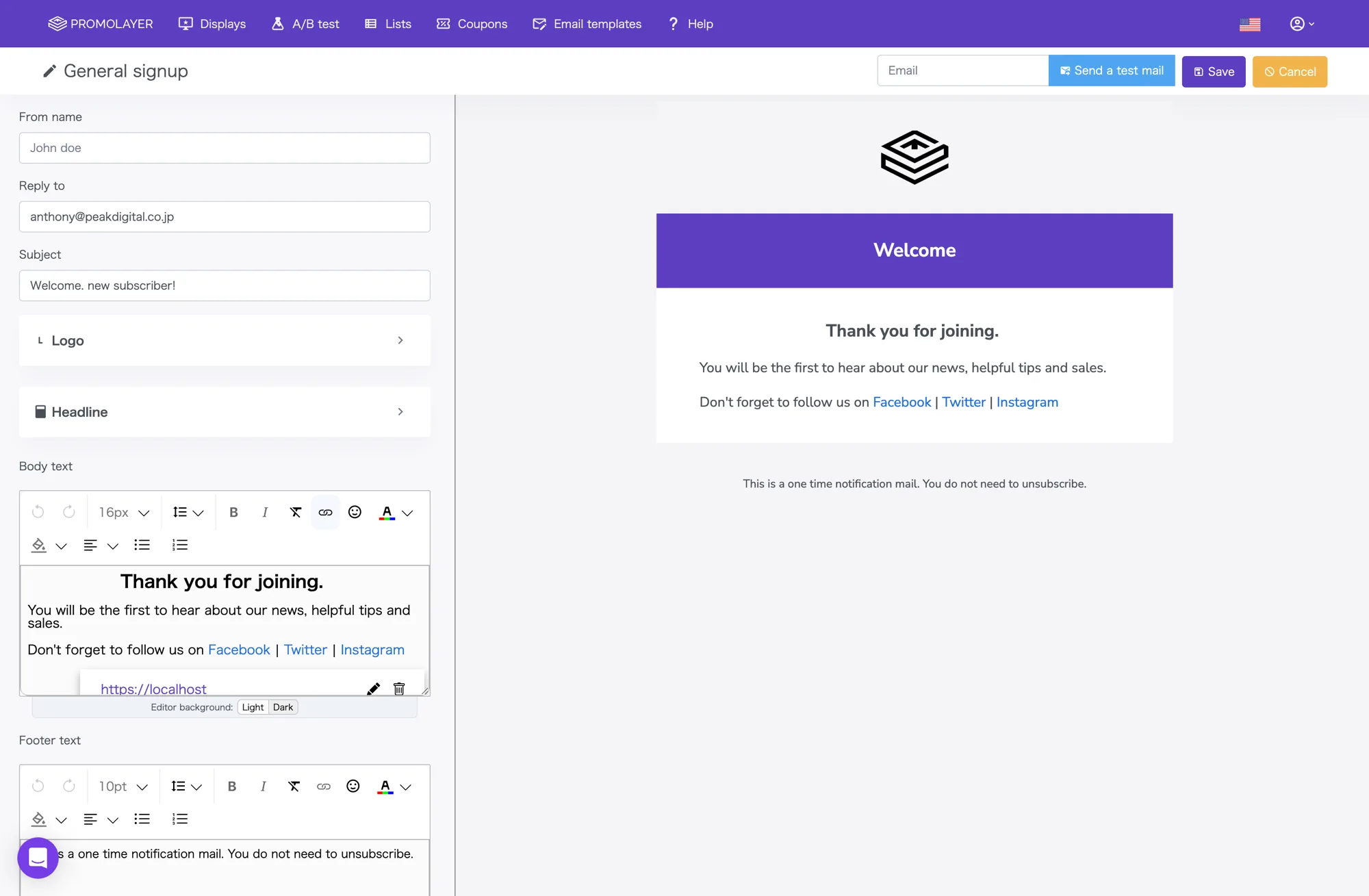
From a thank-you email 30 minutes after submission to a reminder days or weeks later, build and send everything from Promolayer’s template editor.
Sender name, reply-to, subject, body, and footer are all no-code. Swap logos and headlines in a few clicks.
Beyond a single auto-reply, you can schedule multi-step sequences — 30 minutes, 1 day, 3 days, 7 days, and so on, up to 30 days. Follow-up emails are available on the Basic plan and above.
Manage every email you capture
in Promolayer
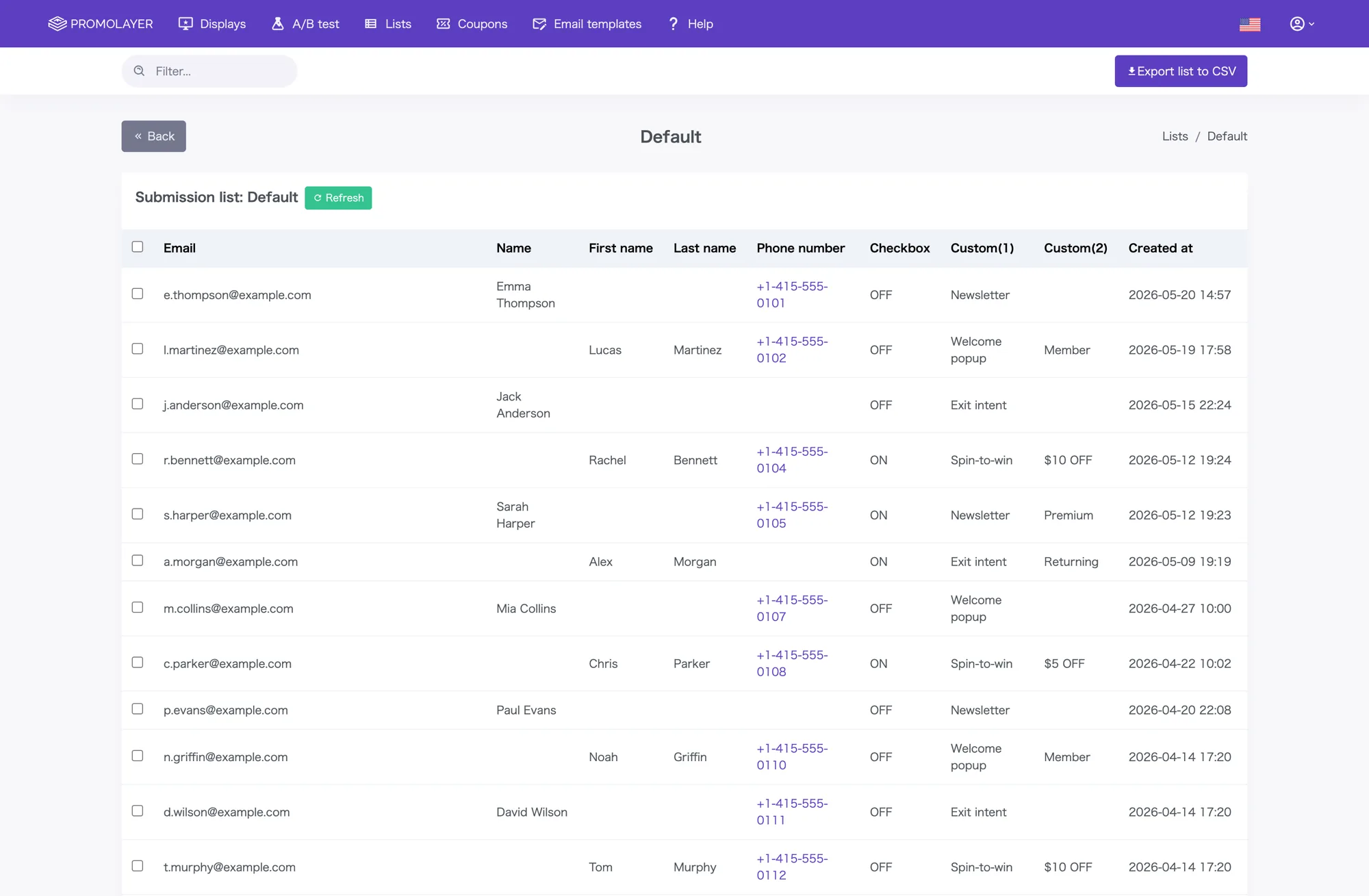
Contacts collected through your forms are auto-saved to Promolayer lists.
Organize them into multiple lists by purpose.
List viewing, filtered search, row-level deletion, and CSV export — everything for day-to-day operations works in the browser.
Frequently asked questions
Common questions about the form builder.
On top of email, name, phone number, and checkbox, you can add up to two custom fields of your own.
Names support a split “family / given” layout and an optional furigana field. Drag-and-drop to reorder; toggle each field on or off with a switch. You have everything you need without writing code.
Promolayer’s form is a streamlined form built for capturing emails and contact info quickly inside a popup. File attachments and multi-step layouts are not part of the standard feature set.
If you need richer forms, we recommend sending data to an external form SaaS or your own backend via Webhook.
On the dashboard’s “Lists” page, create multiple lists to organize contacts. Search and bulk-delete are supported.
Each list can be downloaded as CSV with one click. The filename includes the date automatically, which makes regular exports easy to organize.
Webhook delivery is supported out of the box, so via an automation service like Zapier you can connect to virtually anything — HubSpot, Google Sheets, Slack notifications, and so on.
The dashboard includes a test-send feature, so you can verify Webhook delivery before going live.
On top of an immediate send, you can schedule multi-step follow-ups — 1 day, 3 days, a week, up to 30 days later. Templates are created and edited with no code. Sender name, reply-to, and subject can be set per form.
Follow-up emails require the Basic plan or above. See the Pricing page for plan details.
Start engaging your visitors today.
Run popups, capture emails, and lift conversions — without writing code or hiring an agency.